
Identifying the date code on a Bosch power tool’s serial number is essential for determining its age and warranty status. This process involves locating the serial number and interpreting the date code format, which can vary by model. Understanding this information helps in maintenance and repairs.
Locate the Serial Number on Bosch Tools
Finding the serial number on your Bosch power tool is the first step in identifying its date code. Most Bosch tools have the serial number located on the body or the handle. The exact location can vary by model, so consult the user manual if necessary. Once you locate the serial number, you can begin to decode the date information.
Bosch Power Tool Serial Number Locations
Understanding where to find the serial number on your Bosch power tool is essential for identifying its date code and verifying its authenticity. This section will guide you through the various locations on different Bosch models, ensuring you can easily locate the information you need for maintenance or warranty purposes.
The serial number can be found in several places depending on the type of tool. Here are some common locations:
Power Drills: Look on the side of the housing or near the battery compartment.
Saws: Check the base or the blade guard.
Sanders: The serial number is often on the back or underside.
| Tool Type | Common Location |
|---|---|
| Power Drill | Side of housing |
| Circular Saw | Base or blade guard |
| Orbital Sander | Back or underside |
Decoding Bosch Power Tool Date Codes
Bosch uses a specific format for its date codes, which typically includes a combination of letters and numbers. The first two digits often represent the year, while the following digits indicate the week of production. Understanding this format is crucial for determining the age of your tool.
Bosch Power Tool Date Code Interpretation
Understanding the date code on your Bosch power tool is essential for identifying its manufacturing year and ensuring proper usage. This section delves into how to interpret these codes, providing clarity on the specific format and what each element signifies. Knowing this information can help you make informed decisions about maintenance and compatibility with accessories.
Here’s how to interpret the date code:
Year: The first two digits indicate the year of manufacture. For example, “21” means 2021.
Week: The next two digits represent the week of the year. “12” indicates the 12th week of that year.
| Date Code Example | Year | Week |
|---|---|---|
| 2112 | 2021 | 12 |
| 2015 | 2020 | 15 |
Bosch Power Tool Age Identification Benefits
Knowing the age of your Bosch power tool can help you make informed decisions about maintenance and repairs. Tools that are older may require more frequent servicing and may not be covered under warranty. Additionally, understanding the age can assist in determining compatibility with replacement parts.
Recommended Products
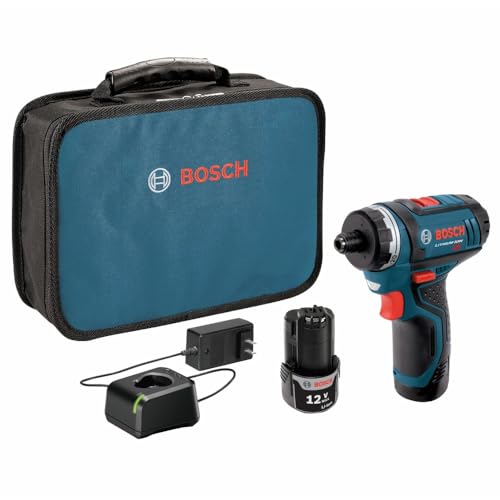
LIGHTWEIGHT POWERHOUSE AT ONLY 1.4 LBS. IN WEIGHTY 1.4 lbs. in weight

Included: (1) Bosch 1617000A16 Service Pack Replacement Part
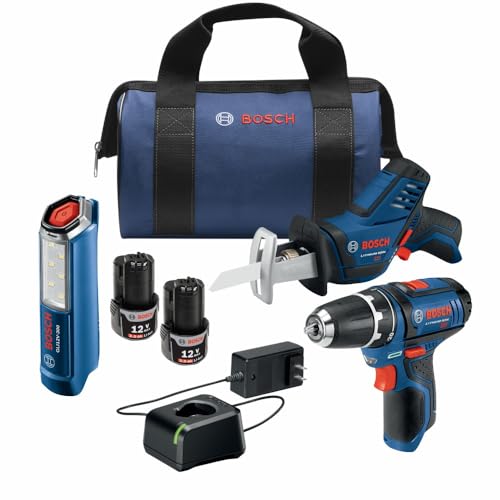
ULTIMATE 3-TOOL COMBO KIT: Your essential 12V Max starter package for drilling, cutting, and illumination. This power tool set includes a powerful drill/driver, a compact reciprocating saw, and a bright LED worklight, giving you the versatility to tackle any project.
Bosch Power Tool Maintenance Tips
Proper maintenance of Bosch power tools is essential for ensuring their longevity and optimal performance. Regular upkeep not only enhances the tool’s efficiency but also helps prevent unexpected breakdowns. Here are some practical tips to keep your Bosch tools in top shape for any project.
Regular maintenance is vital for prolonging the life of your Bosch power tool. Here are some tips:
Clean: Regularly clean dust and debris from the tool.
Inspect: Check for wear and tear on parts, especially the battery and blades.
Lubricate: Apply lubricant to moving parts as specified in the manual.
| Maintenance Task | Frequency |
|---|---|
| Clean | After each use |
| Inspect | Monthly |
| Lubricate | Every 6 months |
Bosch Tool Age Impact on Performance Issues
Understanding the age of your Bosch power tool is crucial for assessing its performance and potential issues. Older models may exhibit wear and tear that affects functionality, while newer tools often incorporate advancements in technology. Identifying the age of your tool can help you make informed decisions about maintenance and upgrades.
If you experience issues with your Bosch tool, knowing its age can help diagnose problems. Older tools may have outdated components that can affect performance. Here are some common symptoms and their potential causes:
Recommended Products

Compact Tool Set: The lightweight design of the PS31 power drill cordless driver is ideal for easy handling in overhead operations and tight spaces and the PS41 impact driver offers the precision of variable speed, a light-body, and a short-head length

Whats in the Box: Includes (1) GSB18V-65 18V Brushless 1/2 In. Hammer Drill/Driver, (1) GDX18V-285 18V Brushless Mid Torque 2-in-1 Impact Wrench/Driver, (2) 18V Lithium-Ion 2 Ah Standard Power Batteries, (1) 18V Charger, (2) Belt Clips, and (1) Carrying Bag.

USER-FRIENDLY OSCILLATING MULTI-TOOL: Features upgraded user handling, increased cutting performance and outstanding blade grip
Bosch Tool Troubleshooting Quick Reference
When working with Bosch power tools, understanding common issues and their solutions can save time and frustration. This quick reference guide provides essential troubleshooting tips tailored for various Bosch tools, helping users diagnose problems efficiently and maintain optimal performance. Whether you’re facing minor glitches or significant malfunctions, these insights will assist in getting your tools back in action.
| Symptom | Primary Suspect | Difficulty (1-5) |
|---|---|---|
| Tool won’t start | Dead battery | 2 |
| Overheating | Worn motor | 4 |
| Poor performance | Dull blade | 3 |
Bosch Power Tool Identification Resources
Identifying your Bosch power tool can be crucial for maintenance, warranty claims, or replacement parts. This section provides valuable resources to help you accurately determine the model and specifications of your tool. With the right information, you can ensure optimal performance and longevity for your Bosch equipment.
If you need additional help identifying your Bosch power tool’s serial number or date code, consider these resources:
User Manual: Always refer to the specific user manual for your model.
Bosch Customer Service: Contact customer support for assistance with serial numbers and warranty inquiries.
Online Forums: Join DIY forums where experienced users can offer advice.
Remember to keep your tool’s manual handy for reference on serial number locations and maintenance tips.

Hey, I’m Jake. I focus on cooling systems at Appliance Mastery, like fridges, freezers, and air conditioners.
I’ve worked in appliance repair for more than ten years and I’m certified through NASTeC. I’ve seen just about every fridge issue you can imagine.
My goal is to help you fix problems without stress. Whether it’s a freezer that won’t cool or an AC that keeps beeping, I’m here to walk you through it.