
To regain access to your Bosch IP camera, performing a factory reset is essential when you encounter network connectivity issues. This process restores the camera to its original settings, allowing you to reconfigure it for your network.
Understand Bosch IP Camera Models
Bosch offers a range of IP cameras, each with unique features and specifications. Familiarizing yourself with your specific model is crucial for a successful factory reset. Common models include the Bosch AUTODOME series and the Bosch FLEXIDOME series. Each model may have slight variations in the reset process, so always refer to the user manual for specific instructions.
Bosch IP Camera Reset Methods Explained
The factory reset method can vary based on the model of your Bosch IP camera. Generally, there are two primary methods: using the physical reset button or accessing the camera’s web interface. Understanding which method applies to your model is essential for a smooth reset process.
| Model Type | Reset Method | Difficulty Level |
|---|---|---|
| AUTODOME | Physical Button | 3 |
| FLEXIDOME | Web Interface | 2 |
| DINION | Physical Button | 3 |
| MIC | Web Interface | 2 |
Bosch IP Camera Reset Preparation Steps
Before initiating a factory reset on your Bosch IP camera, it’s crucial to prepare adequately to ensure a smooth process. This preparation includes gathering necessary tools, understanding the camera’s current settings, and ensuring you have access to your network. Proper preparation can help prevent complications and streamline the reset procedure.
Before initiating the reset, ensure you have the following items ready:
A screwdriver if your model requires opening the casing.
A network cable to reconnect the camera after the reset.
Access to your router for reconfiguration.
Make sure to back up any important settings or footage, as a factory reset will erase all configurations.
Bosch IP Camera Physical Reset Procedure
If you’re experiencing issues accessing your Bosch IP camera, performing a physical reset can restore its functionality. This procedure is essential for regaining control over your network settings and ensuring your camera operates smoothly. Below are the detailed steps to effectively reset your Bosch IP camera.
For models with a physical reset button, follow these steps:
Locate the reset button on the camera body.
Press and hold the button for about 10 seconds until the status light blinks.
Release the button and wait for the camera to reboot.
This method is straightforward and effective for restoring factory settings.
Bosch IP Camera Web Interface Reset Steps
If you’re having trouble accessing your Bosch IP camera, performing a factory reset via the web interface can help restore connectivity. This process will guide you through the necessary steps to reset your camera, ensuring you can regain control and access your network settings effectively. Follow these instructions carefully to resolve any access issues.
If your model supports a web interface, you can reset it as follows:
Log in to the camera’s web interface using its IP address.
Navigate to the Settings menu.
Select the System tab and find the Factory Reset option.
Confirm the reset action and wait for the camera to reboot.
This method is beneficial for users who prefer not to physically access the camera.
Reconfigure Your Bosch IP Camera
Reconfiguring your Bosch IP camera can be essential for restoring access to your network after a factory reset. This process involves adjusting settings and ensuring proper connectivity, allowing you to efficiently manage your surveillance system. Follow the steps below to successfully reestablish your camera’s functionality and secure your monitoring setup.
After the factory reset, you must reconfigure your camera settings to connect it back to your network. Follow these steps:
Connect the camera to your network using a network cable.
Access the camera’s web interface via its default IP address.
Set up your network settings including SSID and password.
Adjust any additional settings such as motion detection and recording schedules.
Ensure that you save your settings before exiting the interface.
Bosch IP Camera Connection Troubleshooting Steps
When encountering connectivity issues with your Bosch IP camera, following a systematic troubleshooting approach can help restore access to your network. The steps outlined below will guide you through identifying and resolving common problems, ensuring your camera is back online and functioning properly.
If you encounter issues reconnecting your camera after the reset, consider the following:
Check your network connection to ensure it is stable.
Verify IP address settings to avoid conflicts with other devices.
Restart your router to refresh the network.
These steps can help resolve common connectivity problems.
Additional Tips for Bosch IP Cameras
When working with Bosch IP cameras, understanding additional tips can enhance your experience and ensure optimal performance. These insights cover various aspects, from troubleshooting common issues to maximizing camera functionality, providing a comprehensive approach to managing your networked surveillance system effectively.
Understanding some additional features can enhance your experience with Bosch IP cameras:
Firmware Updates: Regularly check for firmware updates to improve performance and security.
User Management: Set up user accounts with different access levels for better security.
Video Storage Options: Explore local and cloud storage options for your footage.
These features can significantly improve the functionality of your camera.
Recommended Products

VERSATILITY: The scope camera is removable and replaceable. With just one borescope inspection camera, you can use any of the Bosch camera cables. This tool comes with a 5 ft. camera cable.

Outstanding wide dynamic range
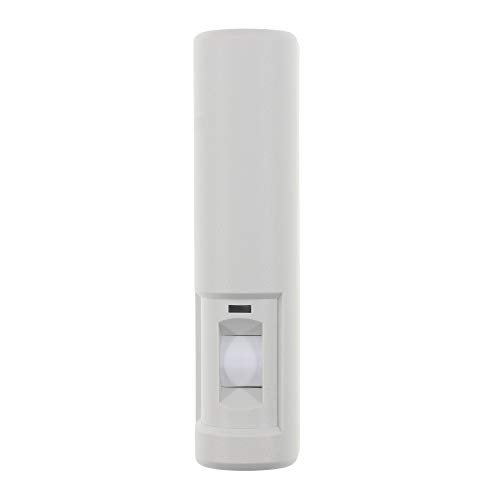
Door monitor with sounder alert
Bosch IP Camera Model-Specific Reset Steps
When facing access issues with your Bosch IP camera, performing a factory reset can be essential. Each model has its own specific reset procedure, ensuring you can quickly regain control over your network settings. Below are the detailed steps tailored for various Bosch IP camera models to help you through the reset process.
Always ensure that you are aware of the specific model and its requirements before attempting a factory reset.
Bosch IP Camera Reset Procedure
If you’re experiencing issues accessing your Bosch IP camera, performing a factory reset can help restore functionality. This procedure will guide you through the necessary steps to reset your camera, allowing you to regain access to your network and ensure smooth operation. Follow the outlined instructions carefully to effectively reset your device.
Follow these steps to regain access to your Bosch IP camera and ensure it operates effectively within your network.

Hey, I’m Jake. I focus on cooling systems at Appliance Mastery, like fridges, freezers, and air conditioners.
I’ve worked in appliance repair for more than ten years and I’m certified through NASTeC. I’ve seen just about every fridge issue you can imagine.
My goal is to help you fix problems without stress. Whether it’s a freezer that won’t cool or an AC that keeps beeping, I’m here to walk you through it.