
Resetting a Bosch dishwashing machine clears its memory and resolves persistent error codes. This process is straightforward and can be completed in a few simple steps to restore the machine to its factory settings.
Understand Bosch Dishwasher Functions
Bosch dishwashers are equipped with various features that enhance cleaning efficiency. However, issues can arise that may require a reset. Understanding the basic functions will help in troubleshooting. Common reasons for needing a reset include error codes, unresponsive controls, or cycle interruptions.
Recommended Products
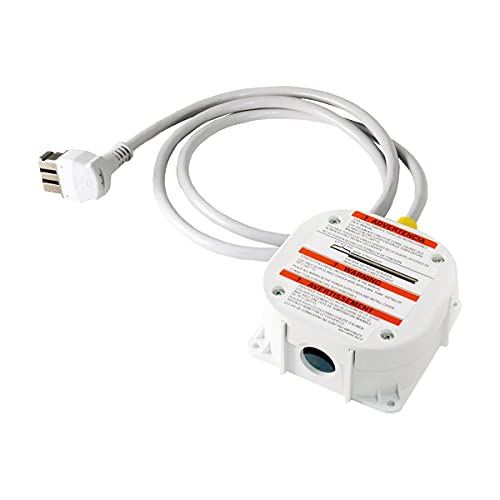
Genuine OEM Bosch Part – Factory-original Bosch 11031987 junction box kit, guaranteed fit and function

The 00618833 is a genuine OEM Bosch Dishwasher Installation Hardware Kit.
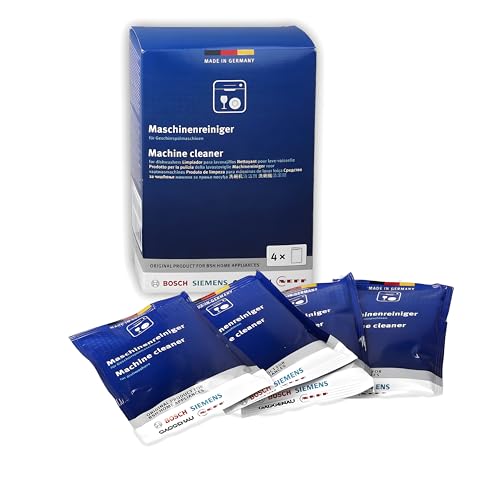
Appliance Care: Helps maintain the efficiency of your dishwasher by reducing food, grease, and mineral build-up inside the machine. Regular use prevents residue accumulation, ensuring that your dishwasher continues to operate at peak performance for a longer time.
Bosch Dishwasher Reset Preparation Items
Before resetting your Bosch dishwasher, it’s essential to gather the necessary items to ensure a smooth process. Having the right tools and understanding what to expect can help you clear the memory quickly and effectively. This preparation will set the stage for a successful reset, allowing your appliance to function optimally once again.
Before starting the reset process, gather the following items to ensure a smooth operation:
Towel for spills
Screwdriver for any panel access
User manual for specific model guidance
Bosch Dishwasher Safety Precautions
When resetting your Bosch dishwasher, it’s crucial to prioritize safety to prevent accidents and ensure proper functioning. Understanding the necessary precautions can help you avoid potential hazards during the reset process. This section outlines essential safety measures to follow, ensuring a smooth and secure experience while working with your appliance.
Safety is crucial when working with electrical appliances. Always ensure the dishwasher is unplugged before attempting any reset.
If the appliance is hardwired, switch off the circuit breaker. This prevents any accidental shocks or short circuits.
Bosch Dishwasher Memory Reset Steps
Resetting the memory of your Bosch dishwasher can resolve various issues and restore its functionality. This process is straightforward and can be completed in just a few steps, ensuring your appliance operates efficiently once again. Follow the detailed instructions below to clear the memory quickly and effectively.
Follow these steps to reset your Bosch dishwasher effectively:
Turn off the dishwasher using the power button.
Unplug the unit from the wall outlet or switch off the circuit breaker.
Wait for at least 5 minutes to allow the machine to clear its memory.
Plug the dishwasher back in or turn the circuit breaker back on.
Press the power button to turn the machine back on.
Select a wash cycle and press the start button.
| Step | Action | Description |
|---|---|---|
| 1 | Turn off | Use the power button to shut down the machine. |
| 2 | Unplug | Disconnect the power source for safety. |
| 3 | Wait | Allow time for memory clearance. |
| 4 | Plug in | Reconnect the power source. |
| 5 | Power on | Turn the machine back on. |
| 6 | Start cycle | Choose a cycle to test functionality. |
Bosch Dishwasher Error Codes and Resets
Understanding Bosch dishwasher error codes is essential for effective troubleshooting and maintenance. These codes provide crucial insights into the machine’s performance issues, allowing users to identify problems quickly. Familiarizing yourself with these codes and the corresponding reset procedures can help restore your dishwasher to optimal function without unnecessary delays.
Bosch dishwashers may display various error codes that indicate specific issues. Resetting can often resolve these errors. Here are some common codes and their meanings:
E15: Water leakage detected
E24: Clogged filter or drain
E25: Blocked pump
Bosch Dishwasher Memory Reset Troubleshooting
Resetting the memory of your Bosch dishwasher can resolve various operational issues and restore its efficiency. This section provides a detailed troubleshooting guide to help you quickly and effectively clear the memory, ensuring your appliance runs smoothly and meets your dishwashing needs. Follow these steps to troubleshoot and reset your Bosch dishwasher with confidence.
If the reset does not resolve the problem, further troubleshooting may be necessary. Check for the following:
Ensure the drain hose is not kinked or blocked.
Inspect the filter for debris and clean it if necessary.
Verify that the door latch is functioning properly.
Bosch Dishwasher Professional Service Indicators
Understanding the professional service indicators on your Bosch dishwasher is crucial for effective troubleshooting and maintenance. These indicators can signal various issues, helping you determine when it’s time to seek professional assistance. Familiarizing yourself with these alerts ensures your appliance operates smoothly and efficiently for years to come.
If issues persist after multiple resets and troubleshooting steps, it may be time to consult a professional. Signs that indicate a need for expert help include:
Continuous error codes after resets
Unusual noises during operation
Water pooling at the bottom of the unit
Resetting your Bosch dishwasher can often resolve minor issues and restore functionality. Always follow safety precautions and consult the user manual for model-specific instructions.

Hey, I’m Jake. I focus on cooling systems at Appliance Mastery, like fridges, freezers, and air conditioners.
I’ve worked in appliance repair for more than ten years and I’m certified through NASTeC. I’ve seen just about every fridge issue you can imagine.
My goal is to help you fix problems without stress. Whether it’s a freezer that won’t cool or an AC that keeps beeping, I’m here to walk you through it.