
Is your Midea dehumidifier struggling to keep the humidity at bay? You’re not alone. Many people face issues with their dehumidifiers, especially when the compressor stops working. This can lead to uncomfortable living conditions and frustration as you try to figure out what went wrong.
Key Takeaways
- Identify Compressor Issues: Recognize signs of compressor failure, such as lack of cooling, unusual noises, and increased humidity levels, to troubleshoot effectively.
- DIY Troubleshooting: Before seeking professional help, check the power supply, clean or replace filters, examine the thermostat, reset the unit, and look for frost build-up.
- Preventive Maintenance: Regularly clean filters, drain systems, and condenser coils to prevent compressor overheating and maintain optimal performance.
- Understand Causes of Failure: Electrical issues, mechanical problems, and incorrect thermostat settings are common culprits behind compressor malfunctions.
- Professional Assistance: Contact a technician if DIY troubleshooting fails, especially if encountering persistent humidity issues, frequent cycling, or visible damage.
- Choose the Right Model: When purchasing a dehumidifier, consider capacity, energy efficiency, durability, and essential features to ensure long-term functionality and prevent compressor issues.
Common Issues With Midea Dehumidifiers
Midea dehumidifiers can experience several common issues, especially with the compressor. Recognizing the signs of compressor failure and knowing how to troubleshoot can help maintain your device’s efficiency.
Recommended Products
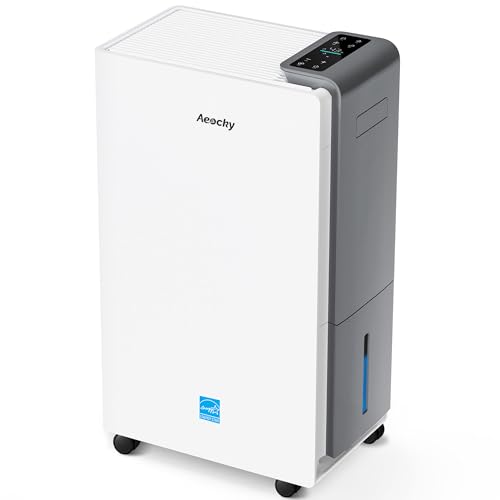
【ENERGY STAR 25 ≠ ENERGY STAR Most Efficient 2025】Don't fall for competitors' word games. With only 2.6% of ENERGY STAR models earning "Most Efficient 2025" title, these options are exceptionally rare on the market. RHEA-001 is one of the few to truly hold this top-tier certification. Many brands use misleading phrases like "Energy Star Efficient 25" or "Energy Star 25" to imply a standard they haven't met. Choosing them is a risk.With AEOCKY, you get verified performance and the peace of mind of authentic, top-tier efficiency.

1600 Sq.Ft High Capacity Dehumidifier- The GoGuess basement dehumidifier is equipped with a quiet yet powerful compressor that efficiently extracts up to 21 pints of moisture per day (tested at 95°F and 90% RH). Perfect for use in basements, offices, bathrooms, bedrooms, kitchens, storage areas, living rooms, laundry spaces, garages, crawl spaces, and RVs. It helps maintain a healthy humidity level between 30% and 70%, promoting a more comfortable and healthier indoor environment

Up to 35 Pints/Day - Say goodbye to damp, sticky air. This powerful compressor dehumidifier removes up to 35 pints/day (at 95°F, 90% RH), quickly tackling humidity in basements, bathrooms, and laundry rooms. A fast, reliable way to prevent dampness, protect belongings, and create a comfortable living environment
Signs of Compressor Failure
- Lack of Cooling: If you notice there’s no cool air being produced, the compressor might be the problem.
- Unusual Noises: Listen for grinding or clicking sounds. These can indicate compressor trouble.
- Frequent Cycling: If the unit turns on and off frequently, it could signify a failing compressor.
- Increased Humidity Levels: Noticeably high humidity despite the unit running suggests compressor issues.
- Visual Damage: Check for any signs of leaks or physical damage around the compressor area.
- Check the Power Supply: Ensure the unit is plugged in and that the outlet works. A faulty outlet can prevent the compressor from turning on.
- Inspect Filters: Clean or replace dirty filters. Blocked filters can restrict airflow and affect compressor function.
- Examine the Thermostat: Ensure the thermostat is set correctly. Misadjusted settings can lead to improper cooling.
- Reset the Unit: Unplug the dehumidifier for a few minutes before plugging it back in. This can sometimes reset the compressor.
- Look for Frost Build-Up: Check the coils for frost. If frozen, turn off the unit until it thaws before using again.
- Seek Professional Help: If these steps don’t resolve the issue, a certified technician can assess compressor functionality and repair needs.
Causes of Compressor Malfunction
Compressor malfunction in Midea dehumidifiers often stems from specific issues. Identifying the exact cause helps you resolve the problem efficiently.
Recommended Products

[The Undisputed Champion — Industry-Leading Dehumidifier Brand] When you choose AEOCKY, you get double market validation. According to data independently verified by Stackline, a leading third-party data analytics company, AEOCKY was an industry‑leading dehumidifier brand on Amazon U.S. in 2025. This means you’re not just choosing a flagship product from a market leader, but a top-performing brand backed by independent market data and trusted by millions of real users, delivering the ultimate combination of performance, quality and trust.

【𝐄𝐍𝐄𝐑𝐆𝐘 𝐒𝐓𝐀𝐑 𝐂𝐞𝐫𝐭𝐢𝐟𝐢𝐞𝐝 𝐟𝐨𝐫 𝐄𝐟𝐟𝐢𝐜𝐢𝐞𝐧𝐭 𝐏𝐞𝐫𝐟𝐨𝐫𝐦𝐚𝐧𝐜𝐞】Delivers consistent dehumidification across a variety of real-life conditions. Designed for energy-efficient operation, helping reduce excess power consumption and lower long-term energy costs without sacrificing performance

Compatible with LG Electronics models DH30, BHD301, LRV810TT, GCW141BTG, UD301CLA0, DHA3013DL, UD301ELA0, D30.
Electrical Issues
Electrical problems frequently affect compressor performance. Check for the following electrical issues:
- Power Supply: Ensure the unit is plugged in. Confirm that the outlet is functioning by testing it with another device.
- Fuses or Breakers: Inspect fuses and circuit breakers. A blown fuse or tripped breaker can stop power to the compressor.
- Wiring Problems: Examine the wiring for frays or loose connections. Damaged wiring disrupts electricity flow and can cause failure.
- Thermostat Issues: Verify the thermostat settings. If it’s set incorrectly, the compressor may not activate.
Mechanical Problems
Mechanical failures can also lead to compressor issues. Consider these common mechanical problems:
- Compressor Overheating: Excessive heat affects the compressor. Ensure the unit has proper ventilation and isn’t blocked by dust or debris.
- Refrigerant Leak: Check for signs of refrigerant leaks. Low refrigerant levels can prevent the compressor from functioning optimally.
- Condenser Coil Blockage: Inspect the condenser coils. A dirty or blocked coil limits airflow and cools, impacting the compressor’s efficiency.
- Internal Component Failure: Listen for unusual noises. Strange sounds often indicate mechanical wear and may require professional inspection.
By understanding these causes, you can troubleshoot effectively and restore your Midea dehumidifier to proper working order.
Solutions to Fix Compressor Issues
Fixing compressor issues in your Midea dehumidifier often starts with simple troubleshooting steps. You can try resolving these problems before seeking professional help.
Recommended Products

PHD 200 Compact Dehumidifier Hanging Kit.

[WIDE COMPATIBILITY] Compatible with AlorAir Dehumidifier models: Sentinel HD35P/HS35/HD55 (HD55S/HD55P)/HDi65S/HD90 (HDi90)/HDi100/HDi120. Ideal Dehumidifier Hanging Kit for Crawl Space / Basement / Attic mounting.

Compatibility Details: Compatible with AlorAir dehumidifiers including the Sentinel HD35P, HS35, HD55 series (HD55/HD55S/HD55P), HDi65S, HD90/HDi90, and HDi100/HDi120 models. Offers versatile mounting options for crawl spaces and beyond – effortlessly meeting your dehumidification needs.
DIY Troubleshooting Tips
- Check the Power Supply: Ensure the dehumidifier is plugged in securely. Inspect the outlet for power using another device.
- Inspect Filters: Dirty filters can restrict airflow and affect the compressor. Clean or replace the filters if they appear clogged.
- Examine the Thermostat: Make sure the thermostat is set to the desired humidity level. Adjust it and observe if the compressor starts running.
- Reset the Unit: Unplug the dehumidifier for a few minutes, then plug it back in. This can reset the internal system and fix minor glitches.
- Look for Frost Build-Up: Check for frost or ice on the coils. If present, turn off the unit to allow it to defrost.
- Monitor for Unusual Noises: Listen for strange sounds that indicate internal problems. Grinding or rattling may suggest mechanical failure.
- Ensure Adequate Ventilation: Confirm that airflow around the dehumidifier isn’t blocked. Proper ventilation keeps the unit working efficiently.
When to Contact a Professional
Contact a professional if you’ve exhausted DIY solutions without success. Signs indicating professional assistance might include:
- Persistent Humidity Issues: If humidity levels remain high despite appliance operation.
- Frequent Cycling: If the unit cycles on and off constantly, it might signal a deeper mechanical problem.
- Visible Damage: Look for signs of wear or damage on the compressor or electrical components.
- Strange Odors: A burning smell can indicate electrical issues that require immediate attention.
- High Electric Bills: An unexplained spike in energy bills may suggest inefficient compressor function or a refrigerant leak.
Addressing these signs promptly can prevent further damage and restore your dehumidifier’s performance.
Preventive Measures
Taking steps to prevent compressor issues will help prolong the life of your Midea dehumidifier. Implementing regular maintenance and carefully selecting your dehumidifier model can enhance performance and avoid common problems.
Regular Maintenance Tips
- Clean Filters Regularly: Remove and clean the filters every few weeks. Dirty filters can restrict airflow, causing the compressor to overheat.
- Check Drainage: Ensure the drainage system works properly. Clear any clogs in the drain hose or reservoir to prevent water buildup.
- Inspect the Coils: Dust and debris can accumulate on the condenser coils. Wipe them clean periodically to maintain efficient heat exchange.
- Monitor Humidity Levels: Keep track of humidity levels in your home. Excess humidity might indicate that your dehumidifier is struggling, leading to potential compressor failure.
- Test the Thermostat: Periodically verify that the thermostat settings are accurate. Incorrect settings can lead to compressor cycling issues.
- Schedule Professional Servicing: Consider annual check-ups with a professional technician. This can identify any underlying issues before they escalate.
Choosing the Right Dehumidifier Model
Selecting the right model impacts performance significantly. Consider these factors:
- Capacity: Choose a dehumidifier with the right capacity for your space. It should match your square footage and humidity levels to operate effectively.
- Energy Efficiency: Look for Energy Star-rated models. They tend to use less energy, reducing the risk of electrical issues linked to power surges.
- Durability: Research models known for durability. Reading reviews and ratings can reveal which brands consistently perform well and withstand wear.
- Features: Evaluate essential features like auto shut-off, humidity sensors, and adjustable fan speeds. These can enhance usability and prevent strain on the compressor.
- Warranty and Support: Choose a model with a solid warranty and customer support options. This ensures assistance is available if any issues arise.
Implementing these preventive measures can help maintain your Midea dehumidifier, ensuring it works efficiently for years to come.
Conclusion
Dealing with a Midea dehumidifier compressor that’s not working can be frustrating but don’t lose hope. By understanding the signs of failure and common causes you can take steps to troubleshoot the issue effectively. Remember to check the power supply and filters before diving into more complex solutions.
If you find that DIY efforts aren’t cutting it don’t hesitate to reach out for professional help. Keeping up with regular maintenance can also go a long way in preventing future problems. With a little care your dehumidifier can keep your space comfortable and humidity-free for years to come.
Frequently Asked Questions
What are the signs of a failing Midea dehumidifier compressor?
A failing compressor typically shows signs like lack of cooling, unusual noises, frequent cycling, increased humidity levels, and visible damage to the unit. If you notice one or more of these symptoms, it’s important to troubleshoot or seek professional help.
How can I troubleshoot my Midea dehumidifier compressor?
To troubleshoot, check the power supply and ensure it’s secure, inspect and clean or replace any dirty filters, examine the thermostat settings, reset the unit, and look for any frost build-up. If these steps do not resolve the issue, professional assistance may be needed.
What causes compressor malfunctions in Midea dehumidifiers?
Compressor malfunctions can result from electrical or mechanical issues. Common electrical problems include power supply issues, blown fuses, or damaged wiring. Mechanical issues may involve overheating, refrigerant leaks, blockages in the condenser coil, or internal component failures.
When should I contact a professional for my dehumidifier?
Seek professional help if you notice persistent humidity issues, frequent cycling, visible damage to the unit, strange odors, or significantly high electric bills. These signs often indicate more serious problems that may require technical expertise to fix.
How can I maintain my Midea dehumidifier for optimal performance?
To maintain your dehumidifier, regularly clean or replace filters, check and clean the drainage system, inspect coils, monitor humidity levels, test the thermostat, and schedule professional servicing when needed. Regular maintenance helps prolong the unit’s life and efficiency.
What factors should I consider when choosing a dehumidifier?
When selecting a dehumidifier, consider factors like capacity for the space size, energy efficiency ratings, durability, essential features (like automatic shut-off), and available warranty support. These considerations help ensure you choose a model that meets your needs effectively.

Hey, I’m Jake. I focus on cooling systems at Appliance Mastery, like fridges, freezers, and air conditioners.
I’ve worked in appliance repair for more than ten years and I’m certified through NASTeC. I’ve seen just about every fridge issue you can imagine.
My goal is to help you fix problems without stress. Whether it’s a freezer that won’t cool or an AC that keeps beeping, I’m here to walk you through it.