
If your Samsung fridge water filter light won’t go off, it often indicates a need for resetting the filter indicator. This can be resolved quickly by following specific steps to reset the light and ensure proper functionality. Addressing this issue will help maintain your fridge’s water quality and filter efficiency.
Samsung Fridge Water Filter Light Symptoms
Understanding the symptoms associated with a persistent water filter light is crucial for effective troubleshooting. Many users report that the light remains illuminated even after replacing the filter. This can lead to confusion regarding whether the filter is functioning properly.
| Symptom | Primary Suspect | Difficulty |
|---|---|---|
| Water filter light stays on | Incorrect filter installation | 2 |
| Light remains after replacement | Reset needed | 1 |
| Water quality issues | Clogged filter | 3 |
Essential Tools for Samsung Fridge Reset
When dealing with a Samsung fridge water filter light that won’t turn off, having the right tools is crucial for an effective reset. This section outlines the essential equipment you’ll need to troubleshoot the issue efficiently. By being prepared, you can streamline the process and ensure your fridge operates as intended.
Before starting the reset process, gather the required tools and supplies. Having everything on hand will streamline your efforts and minimize downtime.
Replacement water filter (if needed)
Screwdriver for accessing the filter compartment
Microfiber cloth for cleaning
Recommended Products
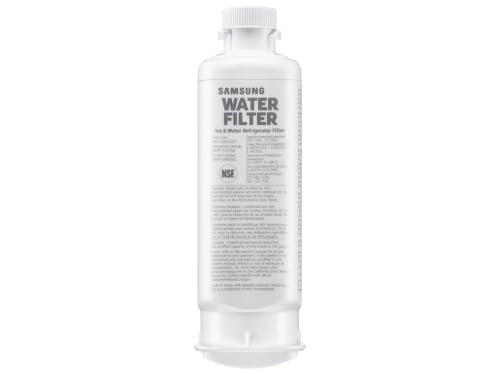
FRESH FILTERED WATER: Samsung water filters reduce contaminants, giving your family fresh tasting water
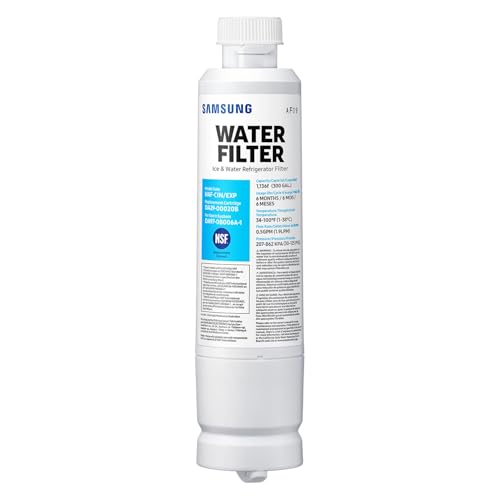
FRESH FILTERED WATER: Samsung water filters reduce contaminants, giving your family fresh tasting water

Ensures proper water flow without a filter and helps maintain dispenser and ice maker performance
Steps to Prepare Samsung Fridge for Filter Reset
If your Samsung fridge’s water filter light won’t turn off, preparing the appliance for a reset is essential. This process ensures that the reset is effective and that the filter indicator functions correctly moving forward. Follow these steps to get your fridge ready for the reset and restore its optimal performance.
Preparation is key to a successful reset. Ensure your fridge is plugged in and functioning properly. Locate the water filter compartment, typically found in the upper right corner of the fridge.
Samsung Fridge Maintenance Safety Tips
Maintaining your Samsung fridge is essential for optimal performance and longevity. Understanding safety tips during maintenance can help prevent accidents and ensure your appliance operates efficiently. This section provides crucial guidelines to follow while servicing your fridge, ensuring both safety and effectiveness in your upkeep efforts.
Always unplug the fridge before performing any maintenance. This prevents electrical shock and ensures safety during the process.
Resetting the Samsung Fridge Water Filter Light
If your Samsung fridge’s water filter light remains illuminated despite replacing the filter, it may require a reset. This guide provides clear steps to help you turn off the water filter indicator light, ensuring your appliance functions efficiently and accurately reflects its filter status. Follow these instructions to resolve the issue quickly.
Follow these steps to reset the water filter light on your Samsung fridge. This process is straightforward and can be completed in a few minutes.
Locate the water filter compartment inside the fridge.
Remove the old filter by twisting it counterclockwise.
Install the new filter by aligning it and twisting it clockwise until it clicks into place.
Press and hold the “Ice Type” and “Child Lock” buttons simultaneously for about 3 seconds. This will reset the filter light.
Verify the reset by checking if the light has turned off.
Recommended Products
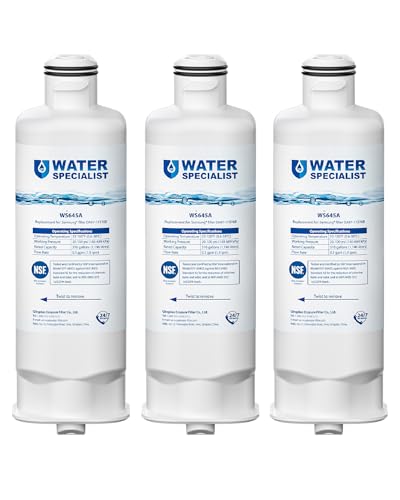
Note: This product is square, not round. Replacement for DA97-17376B (HAF-QIN), not compatible with DA29-00020B (HAF-CIN). The Waterspecialist refrigerator water filter features filtration performance is comparable to the original brand. It is also certified by authority NSF 42 and 372. Far different from generic brand, Waterspecialist only adopts superior coconut shell carbon block to improve taste and odor.

❄️Compatible Models:Samsung DA97-17376B, DA97-08006C, HAF-QIN/EXP, HAF-QIN,WS645A,WD-F45,PP-RWF4200A, RWF4200A,GF-841,FL-RF45,CF-17,AQF-FF45, MB-F45. Note: Designed for DA97-17376B (HAF-QIN) housing only – NOT for DA29-00020B (HAF-CIN).

[Replacement for models] Samsung DA97-17376B, DA97-08006C, HAF-QIN, HAF-QIN/EXP, GF-841, CF-17, AQF-FF45, WS645A, FL-RF45, MB-F45, RWF4200A, PP-RWF4200A-S. Please note it fits DA97-17376B (HAF-QIN), not DA29-00020B (HAF-CIN).
Samsung Fridge Water Filter Light Troubleshooting
If the water filter light on your Samsung fridge won’t turn off, it can be frustrating and may indicate a problem with the filter or the reset process. Understanding the common issues and troubleshooting steps can help you resolve the situation effectively. This guide provides insights into diagnosing and fixing the problem to restore your fridge’s functionality.
If the water filter light remains on after following the reset steps, further investigation may be necessary. Check for the following common issues:
Improper filter installation: Ensure the filter is securely seated.
Filter compatibility: Verify that the installed filter is compatible with your Samsung model.
Electrical issues: Inspect the fridge’s wiring and connections for any faults.
Recommended Products
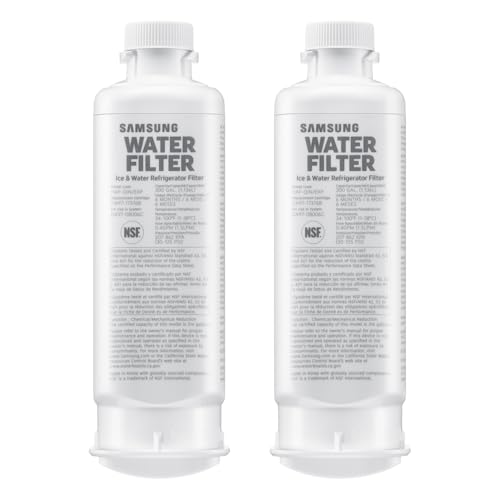
FRESH FILTERED WATER: Samsung water filters reduce contaminants, giving your family fresh tasting water; Use with your Samsung French Door or Side by Side Refrigerator

Authoritative Certifications- ICEPURE RWF0700A replacement for Samsung DA29-00020B refrigerator water filter bears major Authoritative Certifications on markets, such as NSF/ANSI 42 and NSF/ANSI/CAN 372, European Food Grade Regulations EC-1935/2016, ROHS, REACH, BPA-Free, TUV and Australian Water Mark.

Note: This product is round, not square. Replacement for DA29-00020B (HAF-CIN), not compatible with DA97-17376B (HAF-QIN).
Samsung Fridge Water Filter Maintenance Practices
Maintaining your Samsung fridge’s water filter is essential for optimal performance and water quality. Regular upkeep not only ensures that your water tastes fresh but also extends the lifespan of the filter. This section outlines effective maintenance practices to keep your fridge running smoothly and the water filter light functioning as it should.
Regular maintenance can prevent future issues with the water filter light. Consider these practices:
Replace the water filter every six months or as recommended.
Clean the filter compartment regularly to avoid debris buildup.
Monitor water quality for any changes that may indicate filter problems.
Samsung Fridge Water Filter Light Troubleshooting
If the water filter light on your Samsung fridge won’t turn off, it can be frustrating and may indicate a need for troubleshooting. Understanding the potential causes and solutions can help restore your fridge to optimal performance. This guide will walk you through the steps to identify and resolve the issue effectively.
If you continue to experience issues with the water filter light after following these steps, it may be time to consult a professional. Persistent problems could indicate deeper electrical or mechanical issues within the fridge.
Contact Samsung support for further assistance.
Schedule a service appointment if necessary.
Samsung Fridge Water Filter Maintenance Tips
Maintaining your Samsung fridge’s water filter is essential for optimal performance and water quality. Regular upkeep not only ensures the filter functions effectively but also helps prevent issues like the water filter light staying on. Here are some practical tips to keep your water filter in top shape and avoid unnecessary complications.
Always ensure that your fridge is properly maintained to avoid unnecessary complications with the water filter light. Regular checks and timely replacements will enhance the longevity of your appliance.

Hey, I’m Jake. I focus on cooling systems at Appliance Mastery, like fridges, freezers, and air conditioners.
I’ve worked in appliance repair for more than ten years and I’m certified through NASTeC. I’ve seen just about every fridge issue you can imagine.
My goal is to help you fix problems without stress. Whether it’s a freezer that won’t cool or an AC that keeps beeping, I’m here to walk you through it.