
The Electrolux Induction Hob E9 error code typically indicates a fault with the touch panel. This issue often arises from moisture, dirt, or a malfunctioning component, and can be resolved through a series of straightforward troubleshooting steps.
Quick-Look Table for E9 Error Code
When dealing with the E9 error code on your Electrolux induction hob, understanding the potential touch panel faults is essential for effective troubleshooting. The following quick-look table provides a concise overview of common issues associated with this error code, helping you identify and address the problem efficiently.
Understanding the symptoms and potential causes of the E9 error code can streamline your troubleshooting process. The following table summarizes key information to help you identify the issue quickly.
| Symptom | Primary Suspect | Difficulty (1-5) |
|---|---|---|
| Touch panel unresponsive | Moisture or debris | 2 |
| Flickering display | Electrical fault | 3 |
| Inconsistent heating | Faulty touch panel | 4 |
Root Cause Analysis of E9 Error Code
Understanding the root cause of the E9 error code on Electrolux induction hobs is essential for effective troubleshooting. This section delves into the various factors that can lead to touch panel faults, helping users identify the underlying issues and take appropriate corrective measures. By pinpointing these causes, you can restore your induction hob’s functionality more efficiently.
The E9 error code can stem from multiple sources. Identifying the root cause is essential for an effective fix. Common issues include:
Accumulated moisture on the touch panel
Dirt or grease obstructing the sensors
Electrical faults within the unit
A malfunctioning touch panel itself
Each of these factors can disrupt the normal operation of the induction hob, leading to the E9 error.
Electrolux E9 Touch Panel Fault Solutions
When dealing with the E9 error code on your Electrolux induction hob, it’s essential to understand that this typically indicates a fault with the touch panel. Addressing these issues promptly can restore functionality and enhance your cooking experience. The following solutions will guide you through diagnosing and fixing common touch panel faults associated with this error code.
Follow these steps to address the E9 error code effectively. Each step is designed to target potential issues systematically.
Unplug the induction hob from the power source to ensure safety.
Inspect the touch panel for any visible dirt or moisture. Wipe it down with a soft, damp cloth.
Check the electrical connections at the back of the unit. Ensure all wires are secure and free from damage.
Replug the unit and turn it on. Observe if the error code persists.
Perform a factory reset if the error continues. Refer to the user manual for specific instructions.
Replace the touch panel if none of the above steps resolve the issue.
Electrolux Induction Hob E9 Touch Panel Issues
The E9 error code on your Electrolux induction hob often indicates problems with the touch panel, impacting its responsiveness and functionality. Understanding the common issues associated with this error can help you troubleshoot effectively and restore your appliance’s performance. This section will delve into the specific touch panel faults and their potential solutions.
Induction hobs can exhibit various issues beyond the E9 error code. Understanding these can help in broader troubleshooting efforts.
Recommended Products
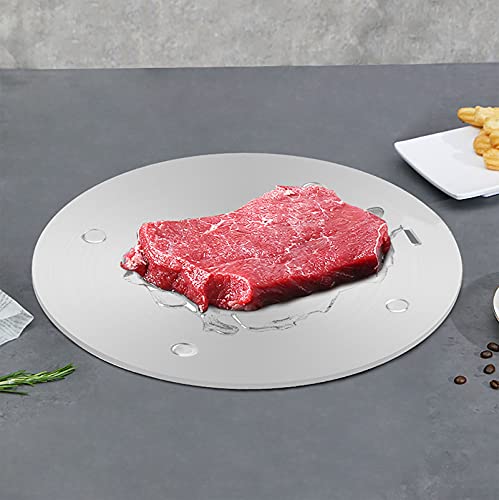
Heat Diffuser for Gas Stove: Heat diffuser plate does an excellent job controlling and distribution heat from gas stove. Diffuser allows us to continue using some of favorite non-ferrous cookware.The removal handle make it easy for you to use and convenient to store it without any risk of burning yourself.

CONVENIENT & PORTABLE INDUCTION BURNER: Duxtop induction cooktop offers both temperature and power modes for convenient and efficient cooking. Lightweight, portable induction burner makes handling and storage easy

Temperature range: 60-240°C
Electrolux E9 Touch Panel Heating Issues
When encountering heating issues with the Electrolux induction hob, the E9 error code often points to faults in the touch panel. Understanding the underlying causes of this code can help diagnose the problem effectively, ensuring your cooking experience remains smooth and efficient. This section delves into the common touch panel faults associated with the E9 error and their potential solutions.
Inconsistent heating may arise from several factors, including:
Faulty cookware that is not induction-compatible
Uneven surface under the hob
Electrical supply issues affecting power delivery
Check that your cookware is suitable for induction use. Verify that the surface is level and stable.
Electrolux E9 Touch Panel Sensitivity Issues
The Electrolux E9 error code often indicates sensitivity issues with the touch panel of your induction hob. Understanding the common causes of these faults can help you troubleshoot and resolve the problem effectively, ensuring that your cooking experience remains uninterrupted. This section will explore the potential reasons behind these touch panel sensitivity issues and offer practical solutions.
Touch panel sensitivity can be affected by several factors. Common causes include:
Moisture buildup on the surface
Worn-out sensors that require replacement
Environmental conditions that affect performance
Cleaning the panel regularly can prevent moisture-related issues. If sensitivity problems persist, consider professional service.
Electrolux Induction Hob Safety Guidelines
When dealing with the Electrolux induction hob, understanding safety guidelines is crucial for both effective operation and preventing potential hazards. These guidelines ensure that users can navigate issues like touch panel faults safely and efficiently, maintaining the appliance’s functionality while minimizing risks associated with improper use. Familiarizing yourself with these safety measures is essential for a smooth cooking experience.
Always prioritize safety when working on electrical appliances.
Ensure the unit is unplugged before starting any repairs.
Use appropriate tools to avoid damaging components.
Wear protective gear if necessary.
Electrolux E9 Error Code Resolution Steps
When encountering the E9 error code on your Electrolux induction hob, it often indicates a fault with the touch panel. Understanding the resolution steps can help you diagnose and potentially fix the issue, ensuring your appliance operates smoothly once again. The following instructions will guide you through the troubleshooting process effectively.
If the E9 error code persists after following these troubleshooting steps, consider consulting a professional technician. Regular maintenance can prevent future issues. Keep the touch panel clean and dry to minimize the risk of faults.

Hey, I’m Jake. I focus on cooling systems at Appliance Mastery, like fridges, freezers, and air conditioners.
I’ve worked in appliance repair for more than ten years and I’m certified through NASTeC. I’ve seen just about every fridge issue you can imagine.
My goal is to help you fix problems without stress. Whether it’s a freezer that won’t cool or an AC that keeps beeping, I’m here to walk you through it.